The Difference Between a Data Center and a Server Room
A Comprehensive Explanation from Small-Scale Facilities to Mission-Critical Infrastructure
-
Introduction
In the world of IT, networking, CCTV, and enterprise systems, two terms are often used interchangeably: server room and data center. In practice, many projects even refer to a small server room as a “data center.” However, in terms of concept, function, and risk, they are fundamentally different.
Understanding this distinction is more than just using the correct terminology. Choosing the wrong infrastructure—whether a server room or a data center—can directly impact:
• System downtime
• Data security
• Operational costs
• Regulatory compliance
• Even overall business continuity
2. Why Are Server Rooms and Data Centers Often Confused?
The reason is simple:
• Both contain servers.
• Both store important data.
• Both require electrical power and cooling systems.
However, equating a server room with a data center is like comparing a home garage to an international airport. Both accommodate vehicles, but their scale, operational requirements, and associated risks are vastly different.
3. Server Room: The Backbone of Local IT Operations
3.1 What Is a Server Room?
A server room is a dedicated room inside a building—such as an office, school, hospital, or factory—designed to support local IT operations.
Its primary purpose is not to provide large-scale public services, but rather to:
• Support internal business operations
• Keep local applications running
• Store organizational data
Think of a server room as the engine room of a building—important, but not the organization’s primary business.
3.2 Technical Characteristics of a Server Room
Based on common industry practice, a server room typically has:
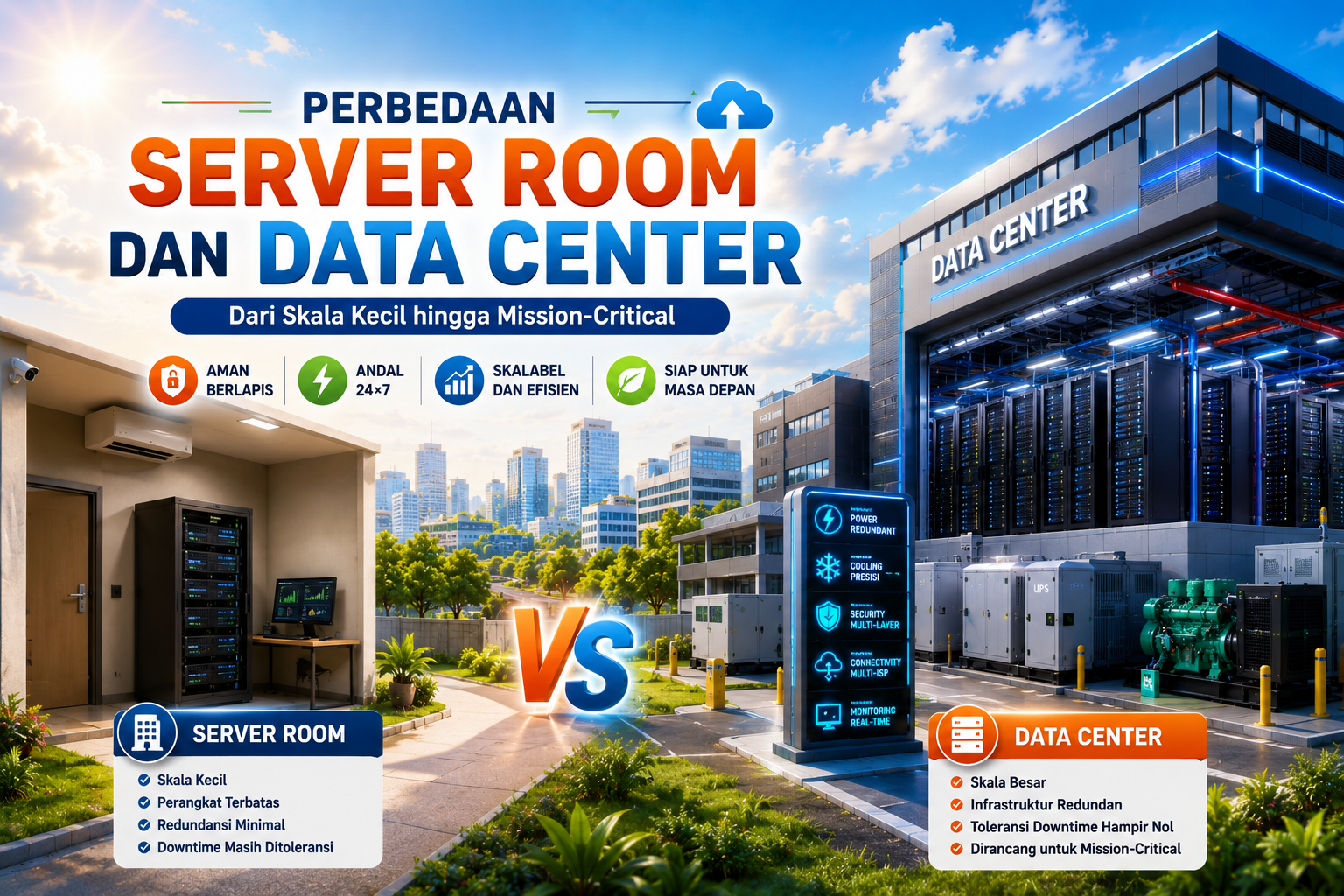
• A small footprint, usually 1–5 server racks
• Limited equipment, including:
o A few servers
o Network switches
o CCTV Network Video Recorders (NVRs)
o Local storage devices
• A single electrical power source
• A basic UPS providing 5–30 minutes of backup power
• Cooling provided by:
o Split-type air conditioners, or
o Basic precision air conditioning
• Very limited redundancy
• Manual monitoring by IT technicians
• Downtime tolerance ranging from several minutes to several hours
This means that if power fails for an extended period or the cooling system stops working, the server room may quickly experience operational issues.
3.3 Who Is a Server Room Suitable For?
A server room is ideal for:
• Small and medium-sized offices
• Schools and universities
• Community hospitals
• CCTV and biometric systems
• Local business applications
In these environments, the server room supports the business, rather than being the business itself.
3.4 Advantages and Limitations of a Server Room
Advantages
• Lower initial investment
• Easy to build and deploy
• Does not require a dedicated operations team
Limitations
• Higher risk of downtime
• Difficult to scale as demand grows
• Limited physical security
• Highly dependent on the building’s infrastructure
4. Data Center: Mission-Critical Infrastructure
4.1 What Is a Data Center?
A data center is a purpose-built facility specifically designed to support mission-critical workloads around the clock.
This is where the biggest distinction becomes clear:
A server room supports the business.
A data center is the business.
Without data centers, modern digital services simply would not function.
4.2 Technical Characteristics of a Data Center
A modern data center typically includes:
• Large-scale infrastructure with 50 to more than 10,000 server racks
• Hundreds or thousands of servers
• Two or more independent electrical power paths
• Large UPS systems and diesel backup generators
• N+1 or 2N redundancy
• Precision cooling systems, such as:
o CRAC (Computer Room Air Conditioner)
o CRAH (Computer Room Air Handler)
• Hot aisle and cold aisle containment
• Multiple Internet Service Provider (ISP) connections
• Real-time infrastructure monitoring using DCIM platforms
• Near-zero downtime tolerance
Data centers are designed with a fail-safe, not fail-stop, philosophy.
4.3 Who Needs a Data Center?
Data centers are commonly used by:
• Banks and financial institutions
• Telecommunications operators
• Cloud service and hosting providers
• Government agencies
• Large enterprises
• Hyperscale computing environments
For these organizations, even a few minutes of downtime can result in losses worth millions—or even billions—of rupiah.
5. Security and Safety Comparison
5.1 Security in a Server Room
Typical server room security includes:
• Locked doors
• Basic access cards or biometric authentication
• Standard CCTV surveillance
This level of protection is generally sufficient for internal operations but is not designed to withstand high-level security threats.
5.2 Security in a Data Center
Data centers implement multiple layers of security, including:
• Perimeter security
• Mantrap entry systems
• Access cards combined with biometric authentication
• 24/7 CCTV surveillance
• Security Operations Center (SOC) and Network Operations Center (NOC) monitoring
• Very Early Smoke Detection Apparatus (VESDA)
• Clean-agent fire suppression systems (FM-200 or Novec)
The objective is straightforward:
Protect services that cannot afford to stop.
6. Cost and Operational Perspective
6.1 Server Room Costs
A server room typically offers:
• Low initial investment
• Relatively low electricity and cooling costs
• Management by the organization’s internal IT team
This makes it an excellent option for organizations with limited budgets.
6.2 Data Center Costs
A data center generally requires:
• Significant capital investment
• Specialized architectural and engineering design
• Dedicated teams of electrical, mechanical, IT, and security specialists
• 24/7 operational staffing
While substantially more expensive, these costs are justified by the resulting reliability, security, and scalability.
7. Quick Comparison Table
| Aspect | Server Room | Data Center |
| Primary Function | Supports business operations | Core business infrastructure |
| Scale | Small | Very large |
| Number of Racks | 1–5 | 50–10,000+ |
| Downtime Tolerance | Acceptable | Near zero |
| Redundancy | Minimal | N+1 or 2N |
| Cooling | Split AC | CRAC / CRAH |
| Security | Basic | Multi-layered |
| Cost | Low | High |
8. Common Mistakes in Real-World Projects
Some of the most common mistakes include:
• Calling a server room a data center
• Hosting mission-critical systems in a basic server room
• Ignoring redundancy requirements
• Reducing costs at the expense of reliability
Unfortunately, these mistakes often become apparent only after a major incident occurs.
9. Conclusion: Choosing the Right Infrastructure
The difference can be summarized simply:
• A server room supports the business.
• A data center is the business itself.
Selecting the right infrastructure directly affects:
• System uptime
• Security
• Scalability
• Regulatory compliance
Especially in mission-critical environments, this decision is not about prestige—it is about risk management, resilience, and responsibility.